Why Doesn’t Your AI Chatbot Know About Your New Content?
Your AI chatbot doesn't know content you just added, yet the sync screen said success? Why a green notice can lie — and what honest sync reporting looks like.
From the AnswerRails development blog — plain-English notes on the technology behind trustworthy AI chat.
You’ve added a new page to your website. You ask your site’s AI assistant about it, the way a customer would. It has never heard of it. So you check the screen where you synced your content an hour ago: synced successfully, green tick.
One of those two things is wrong. On one of our own sites, the wrong one was the green tick.
How your content reaches your assistant
A trustworthy assistant answers from a knowledge base you curate. Each item has to be synced into the searchable index the assistant actually consults. Until an item syncs, your assistant doesn’t know it exists. The sync screen is the bridge between the website you’re editing and the website your assistant believes in.
The afternoon the green light lied
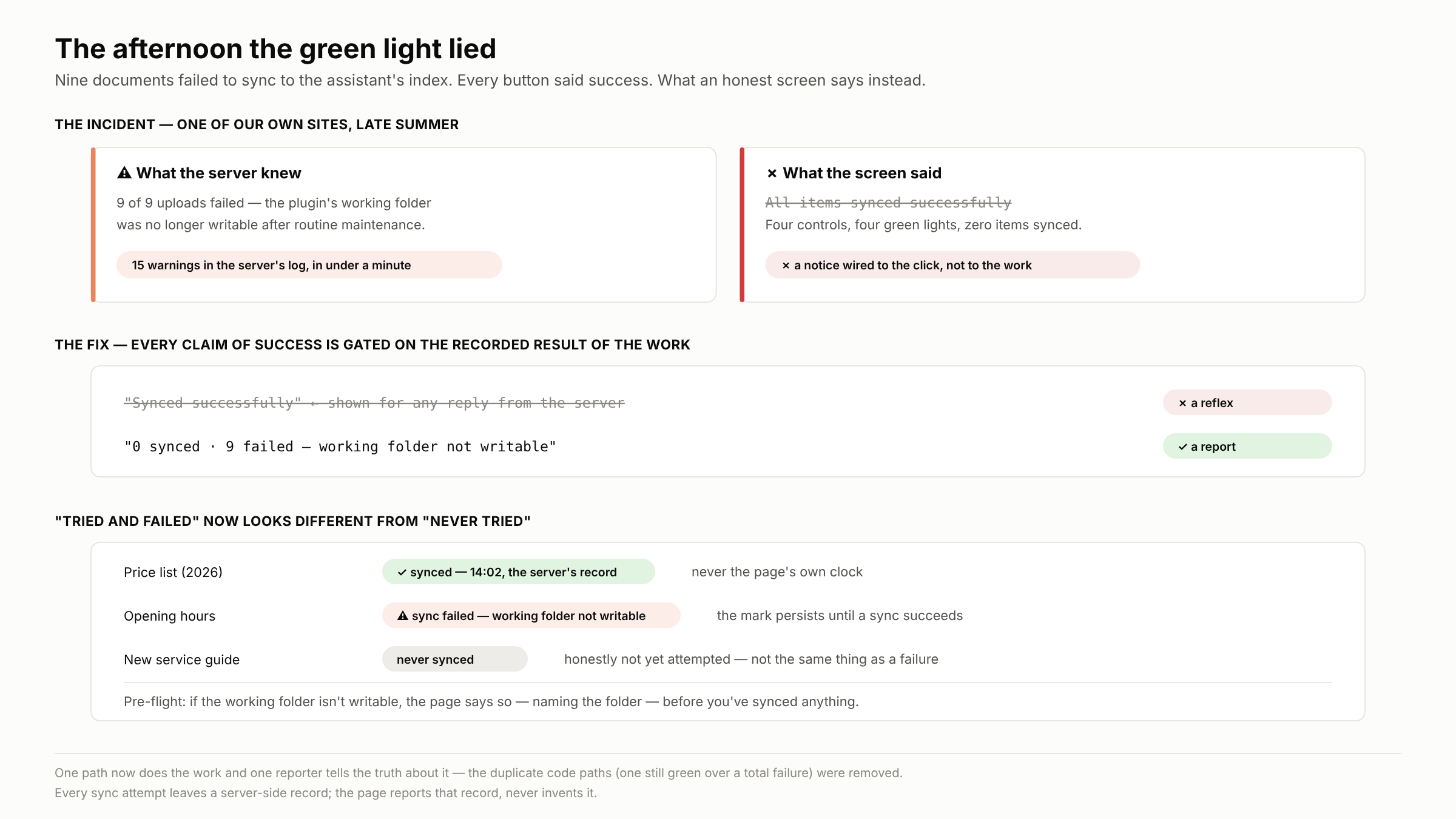
Nine documents refused to sync. The cause was mundane: routine server maintenance had left a working folder owned by the wrong user account, so the plugin couldn’t write there. Every attempt failed with a clear error — deep in the server’s log, which collected fifteen warnings in under a minute.
The screen showed none of it. Four different sync buttons, four green success messages, zero items synced. It took twenty minutes with the logs to learn what the screen could have said in one line.
How good software ends up lying
Nobody wrote “mislead the operator” into the code. Three shortcuts did it. The success notice was wired to the click, not the work: the server reported what synced and what failed, and the page threw the report away and announced success. The “last synced” time came from the browser’s clock, not the server’s record. And failure left no mark: never-synced and failed-to-sync looked identical.
A guardrail is a check, not a hope. A success message deserves the same standard.
What an honest sync screen looks like
The fix was a discipline: every claim of success is gated on the recorded result of the work. Outcomes are counted per item — “7 synced, 2 failed”, with reasons. A run where everything failed produces an error. The “last synced” time comes from the server’s record. A failed row carries a visible “sync failed” mark until a sync succeeds. And the screen now checks the ground first: if the working folder isn’t writable, it says so before you sync anything — the twenty-minute mystery becomes a one-line fix.
While fixing it we found the work was being done by three separate code paths, each reporting its own way. One counted the failures correctly — then displayed a green success notice anyway. We collapsed them to one path and one reporter. Every duplicate path is another place for honesty to leak.
Three questions for any vendor
When a sync fails, what will I see — a per-item count with reasons, or one green banner? Can the screen tell “never tried” from “tried and failed” a week later? And where does the “last synced” time come from — the server’s record, or the page’s own clock?
Honest reporting doesn’t make syncing fail less often. It changes when you find out: the same day, instead of weeks later from a customer asking why your chatbot has never heard of your new service.
AnswerRails is a WordPress plugin bringing safe, grounded AI chat to small-business websites. More at answerrails.com.